
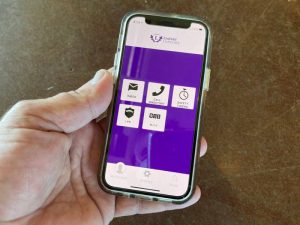
 With the start of a new academic year, safety is top of mind. As part of the Linfield University’s ongoing commitment to campus safety, Linfield Public Safety has partnered with Rave Mobile Safety to create Wildcat Guardian, a free mobile app that turns any smartphone into a personal safety device. By downloading this free safety app, members of the Linfield community can enhance their personal safety both on and off campus.
With Wildcat Guardian, users can create a profile of information about themselves, and invite family and friends to their safety network. When needed, the user can request one or more of their “guardians” to virtually walk with them on or off campus. With the app, students and faculty can have an emergency blue light system and trusted friend with them whenever needed.
The app also allows users to call for help with the push of a button and instantly share their Wildcat Guardian profile and current location with campus safety officials.
How does the Wildcat Guardian work?
- Register and set up an account: Users can add their name, campus address, medical notes and other pertinent information for campus safety in case of emergency.
- Easy emergency communication: In an emergency, a one button call to the local police department or campus safety officials will display the user’s profile and current location.
- Add and message guardians: By adding roommates, friends and family to their network, users can feel safer when walking alone, on or off campus. Guardians can also be messaged directly through the app.
- Set a safety timer: In the event a student feels unsafe, they can set a timer with their current location, indicating where they are going and when they should arrive. In the event they do not make it there and deactivate the timer, guardians or campus safety will be immediately alerted.
“The introduction of the free Wildcat Guardian app should improve the sense of safety on Linfield’s campuses,” said Dennis Marks, director of Linfield Public Safety. “The app’s features allow users to be proactive about their personal safety. My hope is that all Linfield community members will download and install this app on their mobile devices.”
The Wildcat Guardian can be downloaded in the Apple or Google Play stores by searching for “Rave Guardian”. You can also learn more at the LPS webpage or on the Linfield University safety page at linfield.edu/safety.
Wildcat Guardian is a product of Rave Mobile Safety, the most trusted safety software partner, connecting millions to those they trust to protect them, by providing safety officials with innovative tools to prepare better, respond faster, and communicate more effectively during emergencies. Rave protects more than 65% of colleges and universities across the United States.